3 Tips for Choosing a Portable Printer at the Store
Not sure how to choose a portable printer? Match it to your needs, look for high resolution, at least 300 dpi, and pick a fast model for busy work.

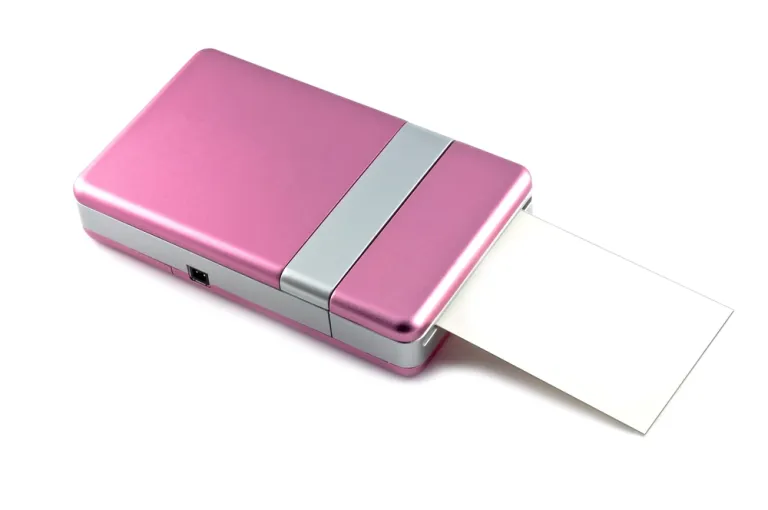
Printers are not just for print shops. They also help with a lot of office work. Printers used to be heavy machines that had to be plugged into mains power, but advances in technology have made portable printers easy to carry anywhere, practical and simple to use. A portable printer does not need an outlet, so you can use it right away whenever and wherever you need it. It runs on a rechargeable battery rather than mains power. To find the right portable printer, keep these tips for choosing one in mind:
Match It to Your Needs
The first thing to remember for anyone shopping for a portable printer in Indonesia is to match it to your needs. By needs, we mean whether you will print photos or documents. Some portable printers can only print photos, while others are made to print documents and photos alike. If you want to print photos, several mini portable printers suit that purpose, so wherever you need a photo, you can have one on the spot.
Read also: Tips for Choosing the Best Speakers for Your Computer
High Resolution
Even if you are shopping for a printer and not a scanner, choose one with a high resolution. A high-resolution portable printer prints documents and photos clearly. With a low resolution, documents and photos come out blurry. For this type of printer, we suggest a resolution of at least 300 dpi. If you want to print on larger paper, such as A3, you need at least 600 dpi. The larger the paper you print on, the higher the resolution you need.
High Speed
The next tip for choosing a portable printer is to pick one with high speed. You need this kind of printer if your job or business involves many documents that must be printed quickly. If the printer you buy is slow, you will only waste time waiting for every document to finish printing properly.
Those are a few tips for buying or choosing the right portable printers in Indonesia. We hope this information helps.