Tips for Choosing the Best Speakers for Your Computer
How to choose computer speakers: compare 2.0 and 2.1 setups, skip surround sound you cannot use, and weigh price against sound quality before you buy.

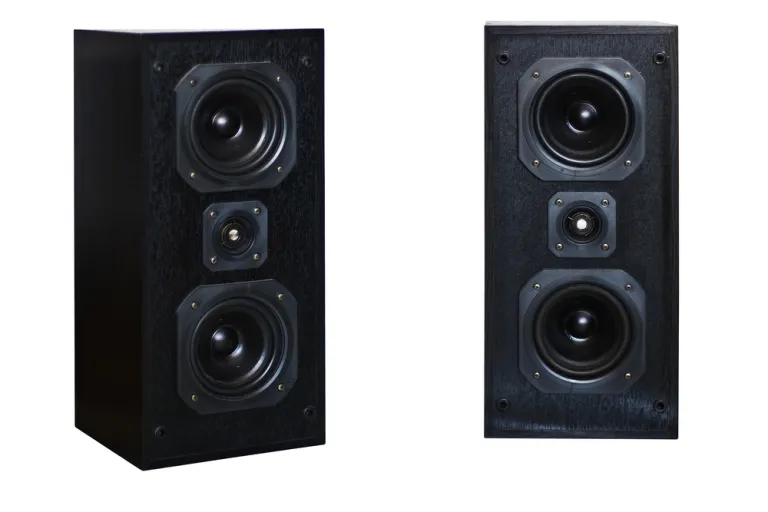
Sometimes a computer comes with built-in speakers of poor quality, or with no speakers at all. That is a shame, since you often want to listen to music on your computer while you work. Don't worry. Here are some tips for choosing computer speakers that you can use as a reference.
Check the Speaker Configuration
If you don't have an extra sound card that supports a 5.1 or 7.1 surround configuration, there is no need to waste money on expensive speakers with a surround setup. Speakers that support a 2.1 or 2.0 configuration are enough.
Read also: An Easy Way to Make Your Own Mini Speaker at Home
A 2.0 speaker set is the simplest configuration. It usually consists of just two speakers with two channels, left and right. A 2.0 set is also very compact and won't take up space on your desk. However, the sound it produces is not as powerful as that of 2.1 speakers.
A 2.1 set is also known as a subwoofer and satellite system. It takes up more room because of the subwoofer, which is usually placed under the computer desk, but the sound a 2.1 set produces is deeper and more engaging.
Price Is the Deciding Factor
Another tip for choosing computer speakers is not to fixate on an attractive design. It is pointless to buy an expensive speaker with a good-looking design that can't produce good sound. Choose speakers based on their price and the sound quality they deliver. Choosing good speakers still follows the principle that the more expensive the speaker, the better the sound. It is wise to set aside a somewhat larger budget so you can get speakers with better sound quality.
After reading these tips for choosing computer speakers, we hope you can decide for yourself which speakers best suit your budget and taste. Happy hunting!